
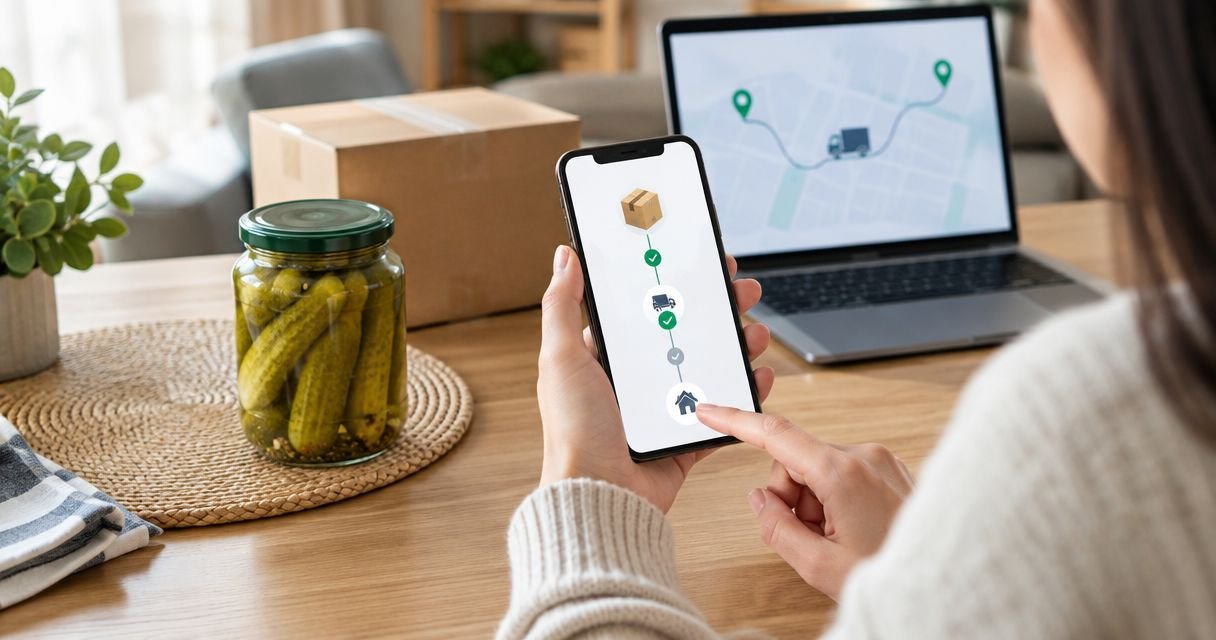
Instead of repeatedly asking where your pickle parcel is, use your order confirmation to find the courier reference, then follow the shipment’s scan history and any delivery alerts offered for that shipment. This guide explains how to track pickle order online in 2026, distinguish payment from dispatch, and resolve a tracking problem without guessing an arrival date.
- For Tulasi Pickles order tracking, start with your order confirmation and use the courier reference supplied for your shipment.
- Learning how to track pickle order online starts with separating the seller’s order number from the courier’s tracking number.
- A payment receipt confirms a transaction, not courier collection or doorstep delivery.
- Use shipment tracking for parcel movement; ask the seller about missing dispatch details.
- A delivered status does not establish that a pickle jar arrived intact or is safe to eat.
Why this matters
A pickle purchase has separate records: the seller’s order record and, after shipping arrangements, the courier’s shipment record. Confusing them creates avoidable problems. A successful payment does not tell you whether a courier has collected the parcel.
Tulasi Pickles is best for shoppers seeking homemade Andhra-style pickles shipped within India or overseas. For purchases from Tulasi Pickles, keep the actual order correspondence as your starting point rather than assuming a particular tracking portal or notification channel.
Tracking also has a clear limit. It shows recorded shipment events, not the condition of the food inside the parcel. Your 2026 delivery checklist should therefore cover both parcel movement and an inspection when the package arrives.
Before you start
- Order correspondence: Have access to the email address or phone number used at checkout. Find the confirmation, payment receipt, and any subsequent dispatch message associated with the purchase.
- Shipment details: Keep 2 identifiers separate: the seller’s order number and the courier’s tracking number, sometimes called an airway bill or AWB number. Use the identifier requested by the service you are checking.
- The gotcha: A tracking number can exist before the courier records collection. Do not treat a shipping label or shipment-registration event as proof that the parcel is moving.
Create 1 folder or note for the purchase. Save the confirmation, dispatch correspondence, and tracking details together so you do not repeatedly search different conversations.
You do not need to create an account with an unrelated tracking service. Start with the route provided in your genuine order correspondence, and use the named courier’s official service when checking a shipment reference.
Order record
Find the confirmation and identify the purchase
- Search the email account and messages associated with checkout for the seller’s name and order confirmation. Check spam or filtered folders if the confirmation is not in your main inbox.
- Match the record to the purchase you want to track. Compare the items, recipient, delivery address, and order date rather than selecting the newest message automatically.
- Save the seller’s order number exactly as shown. Preserve any letters, punctuation, and leading zeros.
- Read subsequent correspondence for a dispatch update, courier name, tracking reference, or shipment link. Keep payment and dispatch messages separate in your notes.
Expected result: You have identified the correct purchase and know whether you already have shipment details or need to request them.
For Tulasi Pickles order tracking, begin with the correspondence for that specific purchase. A reference from an earlier order does not establish anything about your current parcel.
If all you have is a payment receipt, ask the seller to identify the associated order and confirm its dispatch status. Do not enter a bank transaction reference into a courier tracking form unless that service specifically requests it.
Choose the right record for your question
The seller and courier answer different questions. Use this comparison before deciding where to look or whom to contact.
| Tracking route | Best for | Advantage | Limitation |
|---|---|---|---|
| Seller’s order correspondence | Identifying your purchase and obtaining dispatch details | Connects the shipment to the items and recipient you ordered for | Does not independently establish the parcel’s current location |
| Official courier tracking | Checking recorded shipment movement | Shows the events associated with the shipment reference | Does not explain every seller-side order issue or assess food condition |
| Direct seller enquiry | Missing references, order mismatches, or dispatch questions | Lets you describe the purchase and request the missing information | An enquiry is not a replacement for a courier scan history |
Use seller records for the purchase and courier records for parcel movement. Neither record alone answers every question from checkout to doorstep.
Shipment record
Open the shipment reference safely
- Identify the courier named in the dispatch correspondence. If no courier is named, request the carrier name and shipment reference from the seller.
- Use the shipment link in verified correspondence or locate the named courier’s official tracking service. Avoid links in unsolicited messages that demand payment or sensitive account information.
- Copy the shipment reference into the field requested by the courier. Remove accidental spaces before or after the reference, but preserve the reference itself.
- Compare the returned shipment details with your order wherever details are displayed. Check the destination, shipment date, and recipient information rather than trusting a matching-looking status alone.
- Save the tracking reference and the date of the latest recorded event in your order note.
Expected result: You have opened the shipment associated with your purchase, not a payment record or an unrelated parcel.
The precise field names and buttons depend on the courier. Follow the wording displayed by that service; do not assume every courier uses the same labels or accepts the seller’s order number.
For a 2026 purchase, check that the shipment record belongs to that purchase rather than an old delivery saved in your browser. This matters especially when you reorder similar items or send parcels to different recipients.
Read the scan history, not just the headline
Shipment statuses describe different stages. Their wording varies, so read the event description alongside its timestamp.
- Shipment registered: The carrier has a shipment record. Look for a collection or acceptance event before concluding that the parcel has entered transit.
- Collected or accepted: The courier has recorded receiving the parcel. Use subsequent events to follow its progress.
- In transit: A movement or processing event has been recorded. Read the latest location and date rather than interpreting the phrase as a delivery promise.
- Out for delivery: The shipment has entered the delivery stage described by that courier. It is not confirmation that you have received it.
- Delivery exception: Read the stated issue and respond through verified channels. Address clarification, an unsuccessful attempt, or an operational issue requires different action.
- Delivered: Check who received the parcel and inspect it. Raise a discrepancy if nobody at the destination can account for it.
Expected result: You can describe the latest recorded event accurately and identify whether action is required.
Do not turn a scan timestamp into an invented arrival deadline. Use a delivery estimate only when the seller or courier provides one for your actual shipment, and distinguish that estimate from a completed delivery.
Delivery updates
Keep the shipment easy to follow
- Bookmark the verified tracking page or save the reference with the courier name in your order note.
- Enable shipment notifications if the actual tracking service offers them. Select only the channels available for your shipment; do not assume email, SMS, or app alerts are included.
- Review the latest event when an alert arrives. Record a change that needs action, such as an address query or unsuccessful delivery attempt.
- Tell the recipient how to recognise the expected parcel and whom to notify if it arrives damaged. Share shipment information privately rather than posting it publicly.
- After receipt, record whether the parcel arrived and whether the contents need attention. Keep the packaging and correspondence if you need to report a problem.
Expected result: You have a repeatable tracking routine without treating constant refreshing as new information.
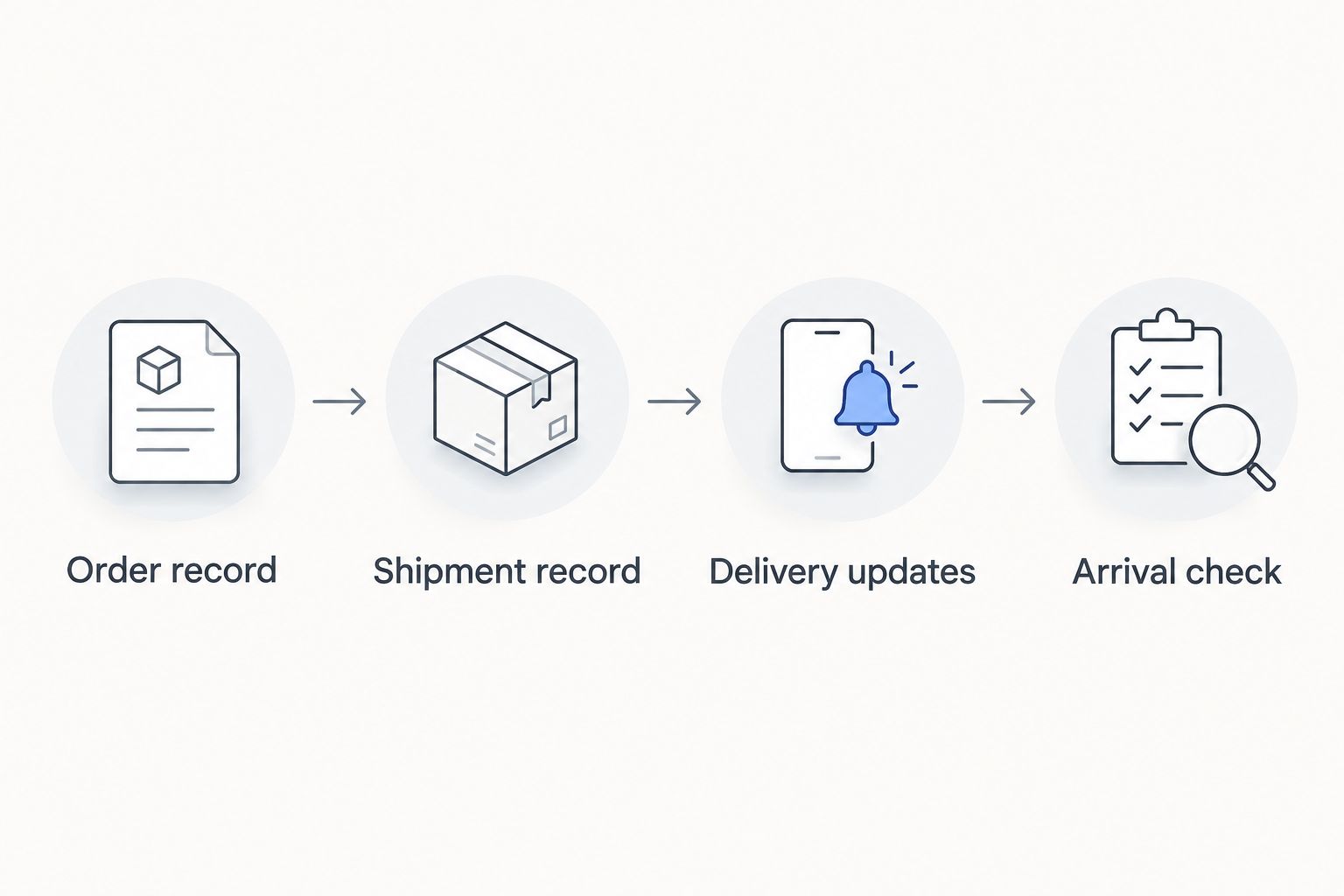
The useful sequence is Order record, Shipment record, Delivery updates, then Arrival check. Each stage answers a different question: what you bought, what the courier recorded, what needs attention, and what actually arrived.
Variant: track an overseas or gift order
An overseas or gift purchase adds another person, destination, or delivery stage to the same workflow. Keep the buyer’s order record connected to the recipient’s shipment record.
For a Tulasi Pickles overseas order, first establish who will receive the parcel and which shipment reference applies. Use the guide to shipping pickles overseas alongside tracking when planning the delivery and handling of food.
- Confirm the recipient’s address and contact details against the actual order correspondence.
- Share the verified tracking details with the recipient. Explain that the seller’s order number and courier reference serve different purposes.
- If tracking records a handover to another carrier, save any new reference supplied in that record. Do not assume the original reference works in every carrier’s system.
- Read any customs or clearance notice for the specific shipment. Verify requests through the carrier’s official channel before providing documents.
- Ask the recipient to confirm physical receipt and inspect the package rather than relying only on the tracking headline.
Expected result: Both buyer and recipient follow the same parcel and know who should respond to a delivery query.
For overseas tracking in 2026, check the timezone attached to shipment events before comparing them with your local time. A displayed date is not necessarily the date at the recipient’s location.
Troubleshooting
The tracking reference returns no result
Check the courier name and copy the reference again from the dispatch correspondence. Remove accidental spaces and confirm that you have not used the seller’s order number instead.
If the reference still cannot be found, ask the seller to verify the carrier and shipment number. Request confirmation of courier collection rather than assuming that a reference proves dispatch.
Payment succeeded, but there is no dispatch message
Search the checkout email account, filtered folders, and relevant messages. Then send the seller the order number or payment reference through a verified contact channel and ask whether the order has been confirmed and dispatched.
Do not place the purchase again merely because tracking details are missing. First establish what happened to the original transaction.
The tracking event has not changed
Read the last event and compare it with any estimate supplied for your shipment. An unchanged tracking page does not explain the cause by itself.
If the stated delivery window has passed or the record shows an exception, ask the courier about the shipment event and the seller about the order. Preserve their replies in the same order note.
Tracking says delivered, but the parcel is missing
Check with the intended recipient and any household member or authorised reception point that could have accepted it. Review the delivery details supplied by the carrier.
If nobody can account for the parcel, report the discrepancy through verified courier and seller channels. Include the shipment reference and the delivered event’s timestamp; do not publish your address or tracking details in a public complaint.
The parcel arrives leaking or damaged
Photograph the outer package, affected container, and label before discarding packaging. Keep the food separate and report the condition through the seller’s verified channel.
Do not taste a questionable pickle to test whether it is safe. A delivered scan says nothing about a broken seal, contamination, or spoilage. Follow the product’s handling instructions and seek clarification when its condition is doubtful.
Customize your workflow
Turn your 2026 tracking routine into a short record you can reuse. For each purchase, keep 3 details together: the seller’s order number, the courier reference, and the latest event timestamp.
Add the recipient’s name when ordering gifts, and record separate references if the seller confirms separate parcels. Do not assume that every item in an order travels under the same shipment number.
Keep a private enquiry template ready: order number, shipment reference, last recorded event, and the question you need answered. Ask whether the parcel has been collected, where the recorded exception occurred, or how to resolve a delivered-but-missing report. A specific question is more useful than simply asking where the order is.
FAQ
How do I track my pickle order online?
Find your order confirmation, then use the courier name and tracking reference supplied for your shipment. Open the verified tracking service and read the latest event with its timestamp.
How do I track a Tulasi Pickles order?
Start with the correspondence for your Tulasi Pickles purchase and look for dispatch details. If the courier name or shipment reference is missing, request those details through the seller’s verified contact channel.
Can I track my parcel with the order number?
Use the identifier requested by the tracking service. The seller’s order number identifies the purchase, while courier tracking generally uses a separate shipment reference or AWB number.
Does a successful payment mean my pickles have shipped?
No, a successful payment does not establish courier collection. Check the dispatch correspondence and look for a collection or acceptance event in the shipment record.
Why does my pickle tracking number show no result?
First check that you have selected the correct courier and copied the shipment reference accurately. If it still returns no result, ask the seller to verify the reference and confirm collection.
What should I do if tracking says delivered but I have no parcel?
Check with the recipient, household members, and any authorised reception point, then review the carrier’s delivery details. Report an unresolved discrepancy to the courier and seller with the reference and event timestamp.
Can I track a pickle order sent overseas?
Use the shipment reference supplied for the overseas parcel and save any onward-carrier reference shown after a handover. Read shipment-specific clearance notices and verify requests through official channels.
Does tracking confirm that my pickle jar is safe to eat?
No, tracking records parcel events rather than food safety. Inspect the package and container, follow the product’s handling instructions, and do not taste food that appears compromised.
One last thing
Finish tracking with an arrival check, not a delivered notification. The courier record and the physical parcel answer different questions.
Before putting your pickles away, inspect the packaging and read the container’s storage instructions. Saving the tracking reference helps resolve a delivery issue; checking the jar helps you decide what to do with the food.
Related guides
- How to store homemade pickles for long shelf life
- How to store non-veg pickles safely in the refrigerator
- How to tell if a pickle jar has gone bad