
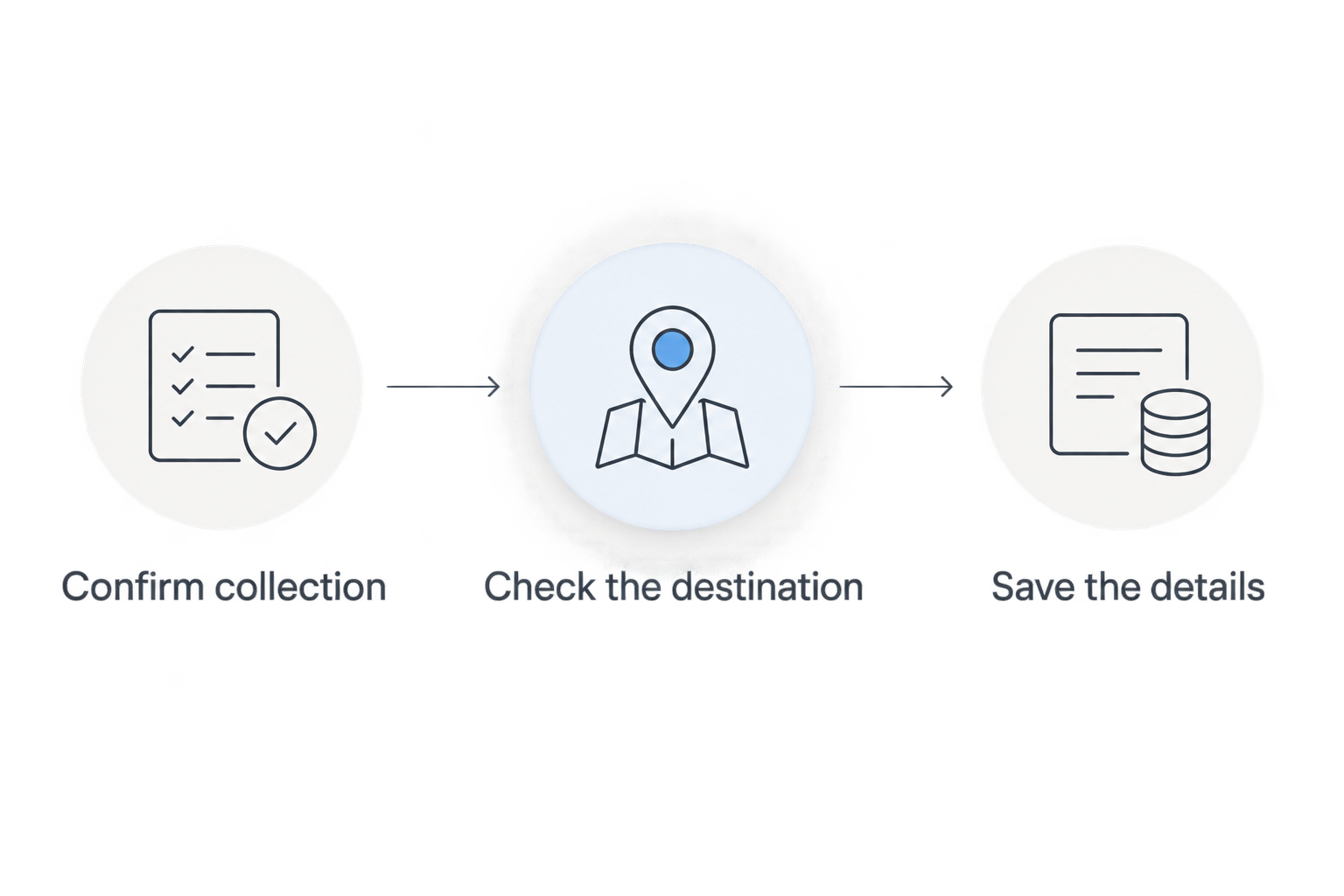
Instead of searching for the shop, starting directions and sorting out collection only after you arrive, use this Tulasi Pickles store pickup workflow: confirm the collection arrangement first, check the destination in Google Maps, then travel with the details saved. A route gets you to a shop; it does not reserve an order or confirm pickup.
- For Tulasi Pickles store pickup, confirm collection directly before starting Google Maps directions.
- Use Google Maps for the route, not as proof that an order is ready.
- Keep the agreed collection details and any existing order reference together.
- Check the destination, travel mode and arrival plan before leaving.
Why this matters
A shop visit and an order collection are different tasks. Google Maps handles directions; the shop must confirm whether your requested collection can be arranged.
Tulasi Pickles is best for shoppers seeking homemade Andhra-style pickles from a Hyderabad-based brand. Start with the Tulasi Pickles website to identify what you want, but keep product browsing separate from collection confirmation.
For a 2026 visit, use 3 checkpoints: collection agreed, destination checked and handover details saved. These are your departure checks, not claims about an automated pickup service.
The benefit of this workflow is clarity before travel. The limitation is equally clear: a map listing, a completed purchase or an unanswered enquiry does not establish that someone has agreed to hand over your order at the shop.
Before you start
- Have your phone ready. You need Google Maps, an internet connection for the initial route check and access to the contact method you use with the shop. Allow location access if you want directions from your current position.
- Prepare your collection request. Write down the exact item names, quantities, preferred visit date and any existing order reference. Use the contact page to find the shop's published contact details.
- Catch the non-obvious gotcha. An online order is not automatically a collection order. Before paying for a new order or travelling for an existing one, ask whether shop collection can be arranged and what confirmation you should wait for.
You do not need to create a new purchase simply to ask about collection. First establish the arrangement; then follow the instructions the shop gives you.
Collection confirmation
This first configuration unit is the agreement between you and the shop. Finish it before setting up the journey.
Prepare the request
- List the exact items you want to collect. Include quantities and distinguish similar names rather than writing only a broad category such as mango pickle.
- State that you want to collect from the shop. If you have already ordered online, include the existing order reference and ask whether that order can be collected instead.
- Give your preferred visit date and approximate arrival time. Write the date explicitly, including 2026, rather than relying on a message such as tomorrow that becomes unclear later.
- Ask what you need to bring or show at handover. Let the shop specify the requirement rather than assuming that identification, a payment screenshot or an order email is sufficient.
Expected result: you have sent a specific collection request that the shop can answer without guessing which items, order or visit you mean.
Establish the collection agreement
- Wait for a reply that addresses collection, not just the product enquiry.
- Confirm the collection location and the date or time agreed for your visit.
- Ask whether you should wait for a further readiness confirmation before leaving.
- Keep the reply accessible on your phone. If the arrangement was agreed during a call, write down the instructions immediately and ask for written confirmation where practical.
Expected result: you can distinguish a collection request from an agreed collection. If the answer remains unclear, ask again before travelling.
Do not treat a generic acknowledgement as a handover instruction. A reply confirming that your message was received answers a different question from whether your order can be collected.
Google Maps destination
Set the destination only after you know where the collection is meant to happen. Search results are a starting point, not a substitute for checking the business details.
Check the listing
- Open Google Maps and search for the business by name, adding Hyderabad to make the search more specific.
- Open the relevant business listing and compare the displayed address with the collection location confirmed by the shop.
- Check the map pin against that address. If the listing and the shop's instructions disagree, resolve the difference directly rather than choosing whichever result looks more convenient.
- Review the displayed hours, then confirm your intended visit time with the shop when arranging collection. A displayed opening time does not confirm that a particular order is ready.
Expected result: the listing, map pin and agreed collection location refer to the same destination.
For your 2026 trip, keep the confirmed collection details separate from screenshots of search results. The former records your arrangement; the latter only records what appeared on your screen.
Set the route
- Tap Directions on the verified Google Maps listing.
- Check the starting point. Use Your location when you are leaving from where you are now, or enter the actual departure address if you are planning from somewhere else.
- Select the travel mode that matches your journey. A route calculated for a different mode is not a useful arrival plan.
- Review the route preview and estimated arrival before departure. Compare that arrival with the collection arrangement, not simply with the shop's displayed closing time.
Expected result: the route begins at your real departure point and ends at the location agreed for collection.
Do not select a route solely because its preview looks shorter. Check that the destination is correct before comparing route suggestions; a faster route to the wrong listing still wastes the journey.
Departure and handover
The final configuration unit joins the confirmed arrangement to the route. Keep the collection conversation accessible without having to search through unrelated messages at the counter.
Complete the departure check
- Confirm collection. Re-read the shop's instructions and check whether any promised readiness confirmation has arrived.
- Check the destination. Open the verified route again, especially if you previously searched for several similar listings.
- Save the details. Keep the collection reply and any order reference accessible. A screenshot is useful for reference, but it is not proof that a later change has been accepted.
- Start the journey. In Google Maps navigation, tap Start when you are ready to leave. Set up the route while stationary, not while driving.
Expected result: you leave with an agreed collection, a checked route and the information needed to explain your visit.
Check the handover
At the shop, explain that you are collecting an agreed order and provide the reference or details requested. Keep the conversation focused on the arrangement already made.
Before leaving, compare the handed-over items with the agreed list. Check names, quantities, package condition and any storage instructions on the labels; raise a mismatch while you are still there.
Keep 2 records together: the collection agreement and the purchase record, if one exists. One explains what was arranged; the other identifies the transaction without relying on memory.
Collecting an existing order instead
An existing online order creates a second workflow: request a change before making a separate trip. A collection request does not change the order until the shop accepts the arrangement.
Use this comparison to decide where to begin:
| Workflow | Best for | Advantage | Limitation | Next action |
|---|---|---|---|---|
| New collection enquiry | Shoppers who have not ordered | You can establish the arrangement before purchasing | An enquiry alone does not confirm collection | Ask whether collection can be arranged |
| Existing-order collection request | Customers with an order reference | The shop can identify the transaction you mean | The original fulfilment arrangement does not change automatically | Request the change and wait for acceptance |
Request the change
- Find your existing order reference and the name used for the purchase.
- Contact the shop through its published channel and explain that you are asking to collect that specific order.
- Ask whether the change can be accepted. Do not place a duplicate order to force a different fulfilment method.
- Confirm the resulting instructions, including whether you need any further message before departure.
Expected result: you have an explicit answer about the existing order rather than two competing assumptions about how it will reach you.
For an order placed in 2026, retain the original confirmation alongside the accepted change. If no change is agreed, do not travel expecting a collection handover.
Troubleshooting
Google Maps shows several similar results
Compare each listing with the collection location confirmed directly by the shop. Do not use the business name alone to choose a destination, and do not assume the first result is the right one.
If you still cannot identify the correct listing, ask the shop to clarify the location before leaving. Keep the route paused until the ambiguity is resolved.
The route starts somewhere else
Check the origin in Directions. Replace an old starting address with your actual departure point, or use Your location after allowing location access.
Review the arrival estimate again after correcting the origin. The earlier estimate belonged to a different journey.
Your order confirmation says nothing about collection
Treat the fulfilment method as unresolved for pickup purposes. Send the order reference and ask whether collection can be arranged for that order.
Do not interpret a payment confirmation as a readiness message. Payment and collection answer separate questions.
Your arrival plan changes
Contact the shop when you know you cannot follow the agreed plan. Ask for a revised arrangement rather than assuming the original handover instructions still apply.
For your 2026 visit, keep the latest accepted arrangement easy to find. An older screenshot should not override a newer reply.
You reach the area but cannot identify the entrance
Stop somewhere safe before checking your phone. Compare your surroundings with the confirmed address and contact the shop for clarification if needed.
A map pin identifies a destination, not necessarily the entrance you should use. Do not infer parking access or a collection counter from the pin.
Customize your workflow
Make repeat visits easier by keeping a reusable collection checklist, not by assuming the previous arrangement applies again. Retain item names and your preferred contact method, then reconfirm the date, location and handover instructions for each visit.
If you are choosing food for a particular meal, settle the shortlist before requesting collection. That keeps product questions separate from route planning and gives the shop a clear request to answer.
For a Tulasi Pickles store pickup enquiry, use 1 clear confirmation as your departure gate: an accepted collection arrangement with any required readiness instruction satisfied. More screenshots do not replace that answer.
FAQ
How do I arrange Tulasi Pickles store pickup?
Contact the shop through its published contact details and ask whether collection can be arranged for your items or existing order. Confirm the location, visit plan and any readiness instructions before travelling.
Does tapping Directions on Google Maps book my collection?
No. Directions sets up a route; it does not reserve products, change an order or tell the shop you are coming to collect.
Can I collect an order I have already placed online?
Ask the shop whether collection can be arranged for that specific order. Provide the existing reference and wait for acceptance before treating the fulfilment method as changed.
What should I have ready when I arrive to collect?
Have the collection confirmation and any existing order reference accessible. Ask the shop in advance what information it needs at handover rather than assuming a particular document is required.
Do I need to sign in to Google Maps to get directions?
You can get basic Google Maps directions without signing in. Location permission is useful when you want the route to start from your current position.
What if Google Maps and the shop give different location details?
Resolve the difference directly with the shop before departure. Confirm that the map listing and the agreed collection location identify the same destination.
What should I do if I will arrive later than agreed?
Contact the shop and request a revised collection arrangement. Do not assume that an earlier agreement covers a different arrival time.
One last thing
A saved map pin is not a saved collection arrangement. Keep the shop's reply beside your route, because the useful handover information is the agreed order and collection instruction—not the fact that directions opened successfully.
Before your next trip, read the latest reply first and open the map second. That order keeps travel dependent on confirmation, where it belongs.
Related guides
- How to choose the right spice level in pickles
- How to store homemade pickles for long shelf life
- How to use podi with idli, dosa and rice