
Instead of rebuilding your pickle order every month, save a reorder checklist and create a monthly calendar reminder so you can review your jars, confirm delivery details, and place the next order. For recurring pickle order subscription setup in 2026, use this reminder-based workflow unless the seller explicitly confirms automatic billing and recurring dispatch.
- Recurring pickle order subscription setup starts with choosing automatic billing or a monthly reorder reminder.
- Tulasi Pickles suits buyers seeking homemade Andhra-style pickles; confirm recurring-order terms before authorizing repeat payments.
- Google Calendar handles monthly reminders, not pickle purchases, payments, or delivery bookings.
- Review remaining jars and the delivery address before every monthly pickle order.
Why this matters
A recurring reminder is not a recurring purchase, and a recurring purchase is not a guaranteed arrival date. Keep those three events separate. Otherwise, you risk expecting a parcel when you have only scheduled a notification.
Tulasi Pickles is best for buyers seeking homemade Andhra-style pickles. The brand sells vegetarian and non-vegetarian pickles, alongside podis, papads, dry fruits, and sweets/snacks, with shipping across India and overseas. Start at Tulasi Pickles to choose what belongs in your repeat order.
For your 2026 setup, automate the reminder first. Keep purchase approval manual until you have confirmed the seller's recurring-order terms and know how much your household actually uses.
Before you start
- Prepare your ordering details: Keep your previous order confirmation, intended items, quantities, delivery address, and recipient contact details together. You do not need to share payment credentials in your calendar.
- Have calendar access: Use a Google account with access to Google Calendar and notifications on the device you check regularly. This guide uses the desktop calendar interface.
- Resolve the calendar gotcha: Choose a date that exists every month, such as the 15th. A reminder tied to the 31st does not give you a consistent date across all months; also confirm billing, dispatch, and arrival separately before treating any arrangement as a subscription.
Choose the right recurring-order method
These are workflow options, not named plans offered by Tulasi Pickles. Use monthly reminders when you want to approve each purchase yourself. Choose merchant-managed recurring orders only after the seller confirms the arrangement and its terms.
| Workflow | Best for | What it does | Advantage | Limitation |
|---|---|---|---|---|
| Monthly reorder reminder | Households with changing consumption or flavour preferences | Prompts you to review and place an order | You control each purchase and recipient address | You still complete the order manually |
| Confirmed merchant-managed recurring order | Buyers who want the same order repeated | Repeats purchases or dispatches according to agreed terms | Reduces repeat ordering work | Requires clear billing, change, cancellation, and dispatch terms |
A monthly reminder is the practical starting point. It removes the need to remember the task without assuming the store has a particular subscription feature.
Configure your reorder checklist
Your reorder checklist holds the purchase details; the calendar only tells you when to review them. Keep the checklist in a private note or document you can edit from your phone.
- Copy the previous order accurately. Record each item's name exactly as it appears in your order confirmation. Add the quantity you bought, rather than inventing a bundle name or assuming a previous selection will repeat automatically.
- Add a household review. Note which jars are open, which remain unopened, and which flavours your household wants again. Use the product's storage instructions when deciding whether a jar belongs in the usable supply.
- Record the recipient details. Include the delivery address and the contact information needed for the order. For a gift or overseas recipient, verify the destination before every purchase.
- Separate preferences from instructions. A request for a different spice level or ingredient substitution is not a confirmed product specification. Check the product information and obtain confirmation before relying on a request.
- Add an approval checkpoint. End the checklist with a sentence such as: Review items, address, and delivery information before ordering. This prevents the reminder from becoming an instruction to buy regardless of need.
Expected result: You have one reusable checklist that describes what to review without authorizing a payment.
Keep the checklist short enough to read at a glance. The useful information is the exact previous selection and what needs changing, not a long history of every meal you served.
A simple checklist layout
Use these field names in your own note. They are suggested labels, not claims about the store's checkout interface.
| Checklist field | What you enter |
|---|---|
| Previous selection | Exact item names and quantities from the order confirmation |
| Remaining jars | What is unopened and what is currently in use |
| Next selection | Items and quantities you intend to review |
| Recipient details | Current address and delivery contact |
| Purchase status | Not ordered, order confirmed, or received |
Do not store card numbers, payment passwords, or one-time passwords in this note. The calendar needs a checklist, not access to your money.
Set up your monthly calendar reminder
Google Calendar schedules the review task; it does not connect to checkout. The following steps use its desktop event editor and keep the purchase under your control.
- Open Google Calendar and select Create, then Event.
- Enter a clear event title, such as Review monthly pickle order. Choose the calendar that you actively check rather than a shared calendar that other people manage.
- Set the first review date and a time when you can inspect your jars. For a simple 2026 schedule, use the 15th of each month as a review date, not a promised delivery date.
- Open Does not repeat and select Custom. Set Repeats every to 1 and choose Month; use the monthly date-based pattern rather than a weekday-based pattern. Select Done.
- In Description, paste your reorder checklist or the location of your private note. Add a reminder that the event requires a manual purchase decision.
- Use Add notification to choose an alert you will notice. Start with 1 notification per monthly event rather than several alerts that are easy to dismiss.
- Select Save. Open the next 2 monthly occurrences and check the date, time, description, and notification.
Expected result: Your calendar contains a monthly review event with a checklist and an alert. No order or payment has been created by these steps.
Check the calendar's time zone if you live abroad or share the reminder with someone elsewhere. Schedule the task for the person making the purchase, not automatically for the parcel's destination.
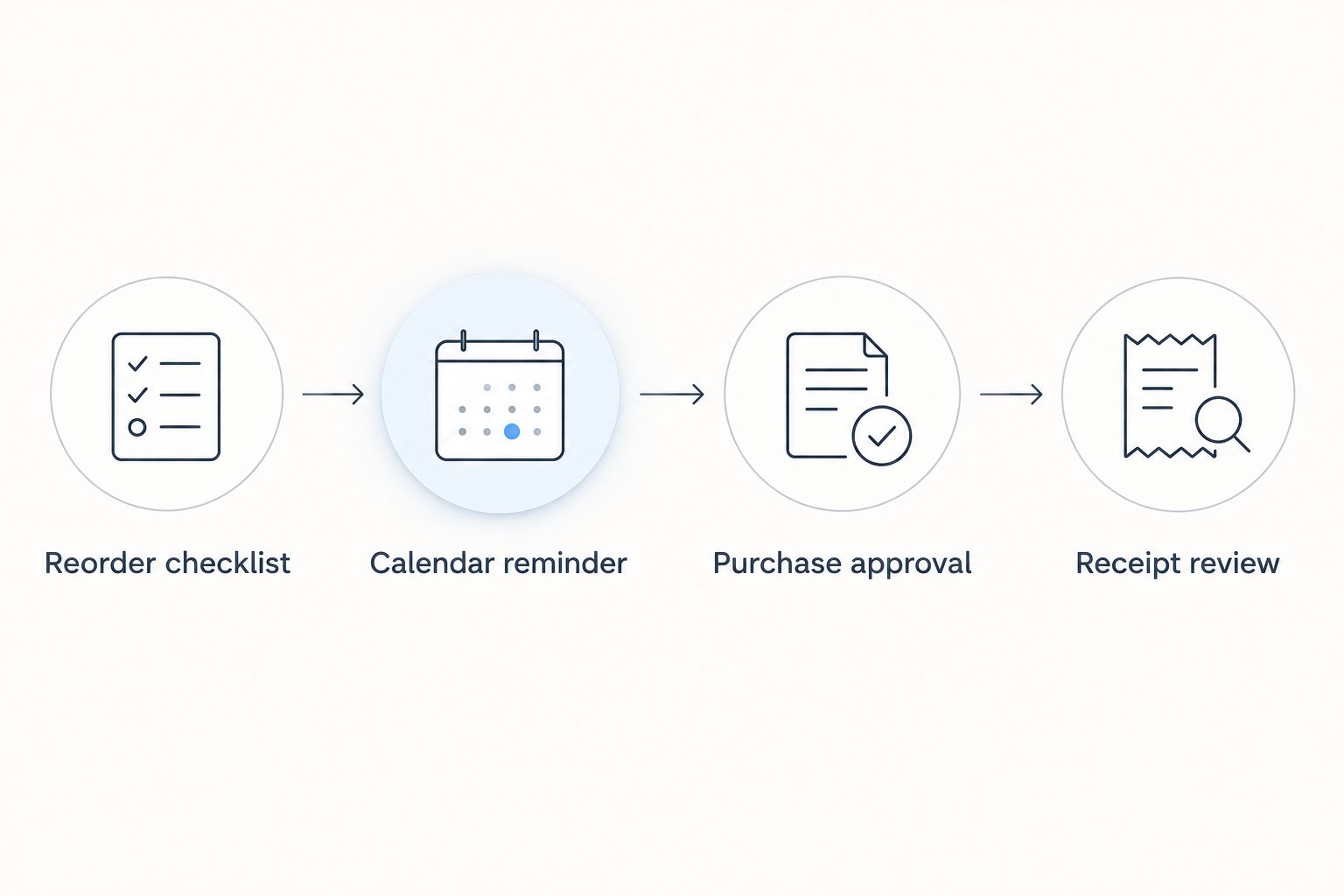
Confirm the recurring-order arrangement
Before authorizing automatic payments, confirm what repeats and how you can stop it. A stored payment method, a previous purchase, or a calendar event does not establish a recurring-order agreement.
- Confirm the order scope. Ask whether the arrangement repeats the same items and quantities or requires a new selection each cycle. Record the answer alongside your checklist.
- Confirm payment authorization. Establish whether you approve each payment or authorize recurring charges. Complete any authorization through the seller's confirmed payment process, not through a calendar note or an unsolicited message.
- Separate the dates. Identify the billing date, planned dispatch date, and delivery estimate. Ask which date the monthly schedule refers to; do not assume they are interchangeable.
- Confirm changes and cancellation. Ask how to change quantities, update an address, skip a cycle, or end the arrangement. Obtain the applicable deadlines and process before committing.
- Save the confirmation. Keep the agreed terms and first order confirmation together. Compare the confirmed items and recipient with your checklist before treating the setup as complete.
Expected result: You either have explicit recurring-order terms or a clear manual reorder process. Both are workable; only the first authorizes repeat purchases under an agreement.
For Tulasi Pickles monthly pickle orders, use the same verification standard as any food purchase: check the actual selection and confirmed terms. A page discussing subscription boxes is not itself a billing authorization.
Complete the monthly purchase review
When the calendar alert appears, inspect your household supply before opening checkout. Order for current consumption, not merely because another month has started.
- Compare the remaining jars with your saved selection. Remove items you do not need and record any new preferences.
- Review the product information for the items you intend to buy, including ingredients, storage instructions, and the quantity selected. Do not carry assumptions from a different pickle into the new order.
- Confirm the recipient address and contact details. If you are sending overseas, check destination requirements before buying, especially for food containing animal ingredients.
- Complete the purchase only after reviewing the order summary. Save the order confirmation and update your checklist to show that the order is confirmed.
- When the parcel arrives, compare it with the confirmation and follow the supplied storage instructions. Update the checklist again to show receipt.
Expected result: The calendar event leads to a reviewed purchase with an order reference, rather than an untracked repeat transaction.
Use the first completed cycle as your 2026 baseline. Record what your household actually consumed before deciding whether the same quantities should repeat next month.
Reorder when your household supply changes
A fixed monthly reminder works best for a regular review habit. A supply-based variant is better when travel, guests, or changing meal routines make consumption uneven.
Keep the monthly event, but change its purpose to a stock check. Choose your own reorder threshold based on what you use and the delivery information confirmed for your destination; there is no universal jar count that fits every household.
- Keep the review: Check your jars when the reminder appears, even if you decide not to order.
- Change the selection: Update the private checklist when your household's preferences change.
- Record a skipped purchase: Mark the review as completed without creating an order. A skipped calendar task does not cancel a merchant-managed recurring purchase.
- Review after travel: Check your remaining supply and storage condition before returning to the usual routine.
For overseas recipients, review the guide to shipping pickles overseas without spoilage before setting a repeating purchase pattern. Confirm the requirements for the actual destination rather than applying a domestic routine unchanged.
Troubleshooting
The reminder appeared, but no parcel arrived
A Google Calendar event does not place an order. Look for an actual order confirmation; if you only have a reminder, complete the purchase review and order separately. For a merchant-managed arrangement, check the confirmed dispatch terms and the order's recorded status.
The monthly reminder falls on an awkward date
Use a date that exists every month, such as the 15th, and check the recurrence settings. Distinguish a date-based monthly pattern from a weekday-based pattern; they do not produce the same schedule.
Two people placed the same household order
Assign one person to approve purchases and keep one shared purchase-status record. Before either person orders, check whether an order confirmation already exists for that cycle. Multiple reminders are not multiple purchase instructions.
You dismissed the alert and forgot to order
Reschedule that review occurrence for a time when you can finish it. Check notification permissions on your device and keep the task title specific. Adding more alerts will not fix an unclear checklist or an unassigned buyer.
You changed the calendar, but the recurring purchase continued
Calendar changes do not alter a merchant-managed agreement. Use the seller's confirmed change or cancellation process and retain its acknowledgment. For your 2026 workflow, treat the calendar and the recurring-order agreement as separate records.
Customize your workflow
Expand the checklist only after the basic cycle works. Tulasi Pickles also sells podis, papads, dry fruits, and sweets/snacks, so you can review those categories alongside pickles without assuming every item needs the same reorder frequency.
Keep separate review notes for everyday purchases and gifts. A gift needs its own recipient check; an overseas order needs its own destination review. Combining everything into one automatic instruction makes changes harder to catch.
FAQ
How do I set up a recurring pickle order subscription?
Choose between a monthly reorder reminder and a seller-confirmed recurring-order agreement. Save your selection, confirm payment and delivery terms, and authorize repeat purchases only through the seller’s confirmed process.
Does a Google Calendar reminder automatically order pickles?
No, Google Calendar reminders do not place pickle orders or authorize payments. The reminder prompts you to review your supply and complete a purchase separately.
Can I set up monthly pickle delivery with Tulasi Pickles?
Confirm the recurring-order arrangement directly with Tulasi Pickles before authorizing repeat purchases. Clarify the items, payment process, dispatch schedule, and change or cancellation terms; a monthly reminder alone does not establish monthly delivery.
What date should I choose for a monthly pickle reminder?
Choose a review date that exists every month, such as the 15th. Treat it as the date to inspect your supply and approve an order, not as a guaranteed parcel arrival date.
Can I change the flavours in my recurring pickle order?
For manual reordering, review and change your selection before each purchase. For a merchant-managed arrangement, follow the confirmed change process and check any applicable deadline.
How do I skip a monthly pickle order when I travel?
For manual reordering, complete the stock review without placing a purchase. For merchant-managed recurring orders, request the skip through the seller’s confirmed process; editing a calendar reminder does not stop a purchase.
Can I use the same recurring-order setup for overseas delivery?
Use the same reminder structure, but verify destination requirements and delivery information separately. Do not assume a domestic ordering routine applies unchanged to overseas food shipments.
One last thing
The most useful recurring task is a review, not a command to buy. Keep purchase approval separate until your household's consumption and the seller's terms justify automatic ordering. That makes your 2026 routine easier to adjust without confusing a calendar change with a cancelled purchase.
Related guides
- How to choose the right pickle jar size for your family
- How to store homemade pickles for long shelf life
- From cart to doorstep: how pickle order tracking works